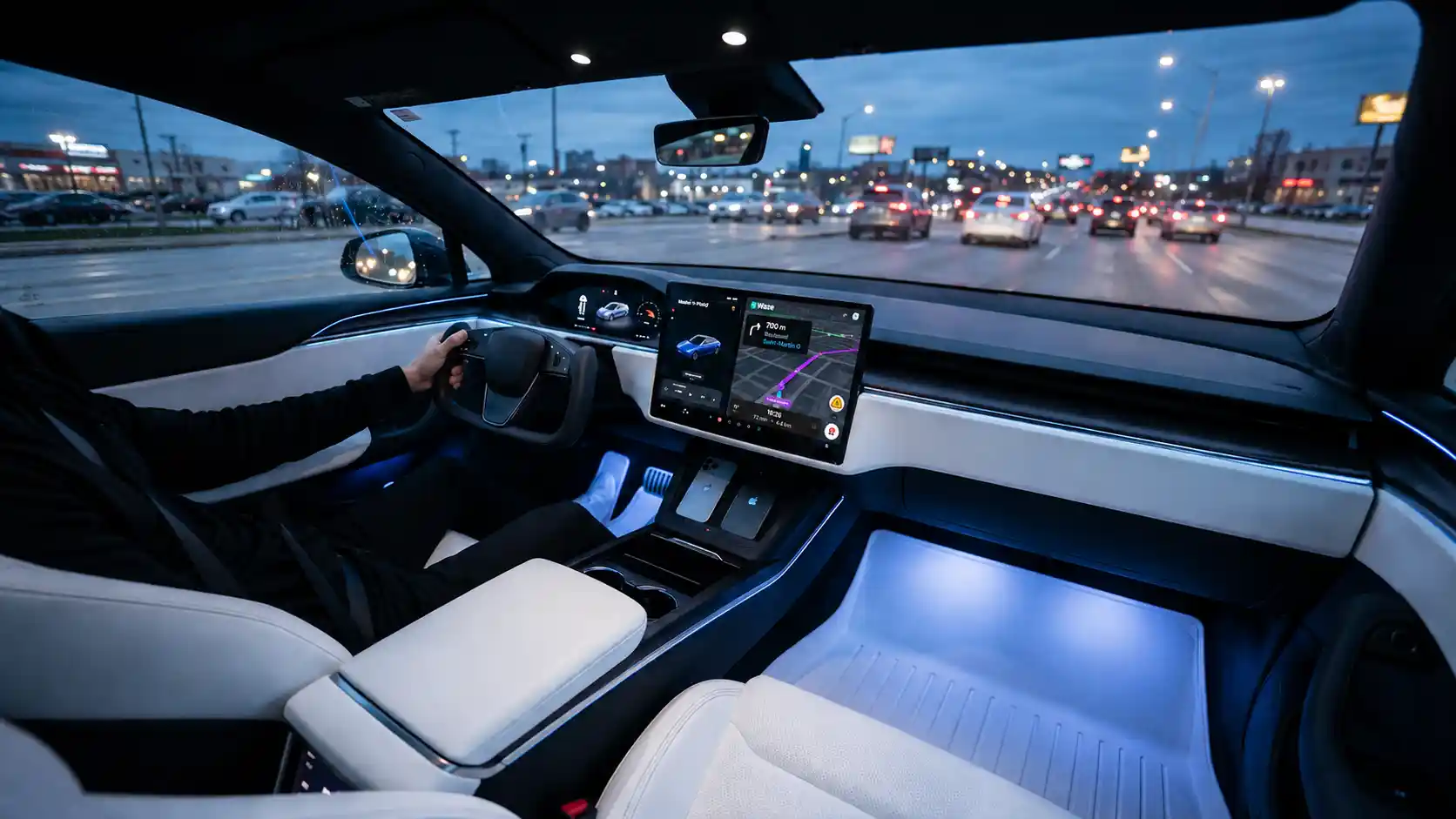
No more fiddling with Tesla's flaky GPS; TaaDa brings back the joy of driving without getting lost.
10-min free trial · No hardware
Android Auto, natively in your Tesla
Waze, Maps, Spotify, WhatsApp from your phone. No hardware, no modification, ready in five minutes.
- Android 8+ phone
- Model S
- 3
- X
- Y
- Cybertruck
What you get
Everything you wish your Tesla could do
TaaDa unlocks the apps you already rely on, right on your Tesla's screen.
Native in-browser display
Android Auto runs directly in your Tesla's web browser through real-time streaming tuned for the road.
All your navigation apps
Waze, Google Maps, Coyote and more: live traffic, alerts and voice guidance on the big screen.
Music & podcasts
Spotify, YouTube Music, Deezer, Apple Music, Amazon Music, Audible and podcasts, with on-screen controls.
Eyes on the road, always
Read and dictate messages on WhatsApp, Telegram and Signal with both hands on the wheel.
No modification to your car
TaaDa works entirely through the built-in browser. No hardware, no jailbreak, nothing to undo.
Secure and private
End-to-end SSL/TLS encryption and a local connection. Your data never sits on our servers.
Pick a plan
Simple, transparent pricing
Try it free first. Ten minutes in-app with no account, or a full 7 days via the Play Store. Cancel anytime.
Annual
The sweet spot
€1.99 /month
€35.88 −33%
billed €23.99 per year
- Every TaaDa feature
- Automatic updates
- Two months free vs monthly
Lifetime
No subscription, ever
€59.99 one-time
€149.98 −60%
Launch price. Regular price €149.98.
- Every TaaDa feature
- Lifetime updates
- No recurring payment
- 10-min in-app trial
- 7 days via Play Store · not charged
- Cancel in 2 clicks
Start with 10 minutes in-app: no account, no card. For the full 7-day trial, the Play Store asks for a payment method (standard for subscriptions), but nothing is charged before day 8.
Good to know before you pay
- The in-app trial lasts 10 minutes with no account and no card. For the full 7-day trial via the Play Store, a payment method is required at activation (standard for Play Store subscriptions), but nothing is charged before the end of the trial period.
- You're billed at the end of the 7 days. Play Store notifies you on day 6.
- Cancel from the Play Store in two clicks, anytime. The service runs to the end of the current period and stops.
Five minutes, watch in hand
Up and running in 5 minutes
Three quick steps to get on the road, plus an optional bonus for hands-free auto-start.
-
Install TaaDa
Download TaaDa from the Google Play Store onto your Android phone.
-
Connect your Tesla
Turn on your phone's mobile hotspot (Wi-Fi tethering). Join it from your Tesla's Wi-Fi settings. The network shows up under your phone's name.
-
Open it on screen
Open the TaaDa address in your Tesla's browser and start Android Auto.
-
Pair Bluetooth for auto-start Optional
Pair your phone with your Tesla once and TaaDa launches itself the moment you sit down.
Stuck on a step? Step-by-step troubleshooting →
Compare
TaaDa vs. the alternatives
Side-by-side with the three other ways to get Android Auto into a Tesla, including the one that does not exist yet.
| What you get | TaaDa | Hardware adapter | Tesla browser alone | Tesla official |
|---|---|---|---|---|
| Android Auto on your Tesla screen | Yes | Yes | No | Not available |
| Hardware to buy | None | €200–400 + install | None | Not available |
| Setup time | 5 minutes, DIY | Pro fitting required | Not applicable | Not available |
| Tesla models supported | Every model | Selected models | Every model | Not available |
| Live Waze, Maps & Spotify | Yes | Yes | Limited | No |
| Free trial | 10 min in-app + 7 days Play Store | No | Free | Not available |
Comparison reflects publicly available information; adapter prices and supported models vary by vendor. Tesla has not announced native Android Auto for any European market as of May 2026.
Before you buy
Frequently asked questions
Everything you need to know before you start.
What is Android Auto, exactly?
Android Auto is Google's in-car interface: Waze or Maps for navigation, Spotify for music, WhatsApp read aloud, all designed to keep your eyes on the road. It ships with most new cars, but Tesla doesn't include it. TaaDa brings that interface into your Tesla's browser.
Does TaaDa work with every Tesla model?
Yes. TaaDa works on every Tesla with a built-in web browser: Model S, 3, X, Y and Cybertruck.
Do I need to modify my Tesla?
No. TaaDa runs entirely through your Tesla's built-in browser. There is no hardware to fit and nothing to undo.
Is my data secure?
Yes. TaaDa uses end-to-end SSL/TLS encryption and a local connection. No personal data is stored on our servers.
Can I use TaaDa while driving?
TaaDa is designed for in-car use, with an interface optimised for the road.
What happens after the free trial?
In-app the trial lasts 10 minutes with no account or card needed. For the full 7-day trial via the Play Store: the subscription activates automatically at the end of the 7 days and the first charge goes through then. The Play Store sends you a reminder on day 6. Cancel anytime in two clicks from the Play Store; the service runs to the end of the current paid period.
Which apps are supported?
Every Android Auto app: Waze, Google Maps, Coyote, Spotify, Deezer, YouTube Music, Apple Music, Amazon Music, WhatsApp, Telegram, Signal, Audible, podcasts and many more.
Which Android version do I need?
TaaDa runs on Android 8.0 and later.
Can I trigger TaaDa from Tasker, MacroDroid, or Samsung Modes?
Yes. TaaDa can start and stop automatically when your phone detects you've stepped into the Tesla. You can also chain a playlist, shut TaaDa down on arrival, or stitch other actions into your routine. Technical details for Tasker, MacroDroid, and Samsung Modes are in the documentation.
Question not listed? Visit the Support page →